Alura2026
Luri AI: turning context into help at the moment of the question
How we turned a generic entry point to a chatbot into a contextual AI experience built into the moment of the lesson.
- My role
- Product Designer
- Collaboration
- AI, Engineering, Product, Technology and Development
- Product
- Alura
- Context
- Learning experience + Artificial Intelligence
- Year
- 2026
- Product Design
- AI
- Learning Experience
In short
Luri already existed inside Alura's lessons, and students could open the chat whenever they had a doubt. The catch was that, before getting help, they first had to turn their confusion into a question.
Together with the AI, Engineering, Product, Technology and Development teams, we redesigned that moment. The new experience is a contextual interaction inside the player: asking for help with an excerpt requires no typing, because the lesson's own context starts an explanation from Luri.
The result was a new way into AI within the learning experience, with relevant signs of adoption, continuity and recurrence.
A good AI experience doesn't necessarily start in a text field.
The problem wasn't simply discovering Luri
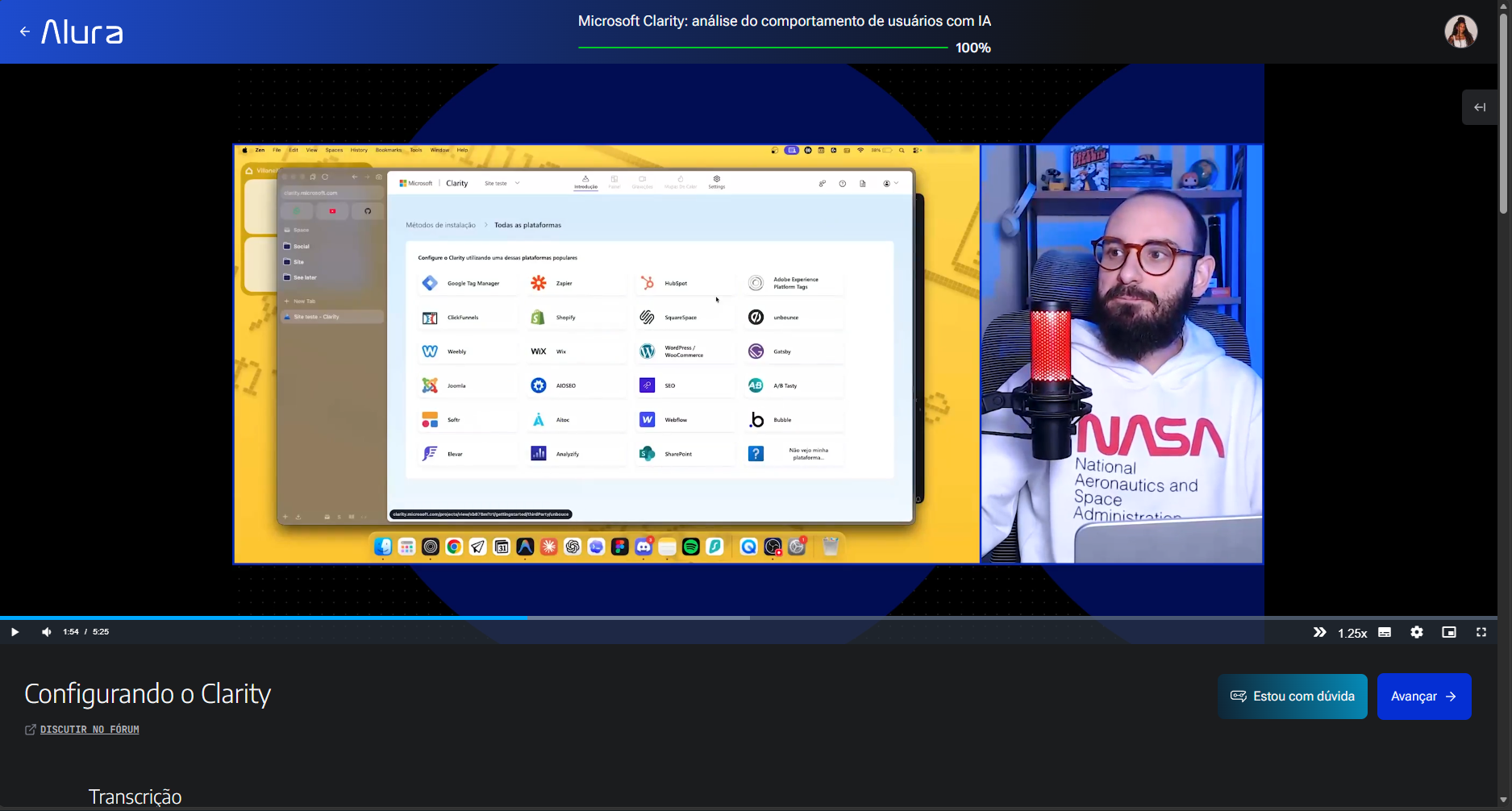
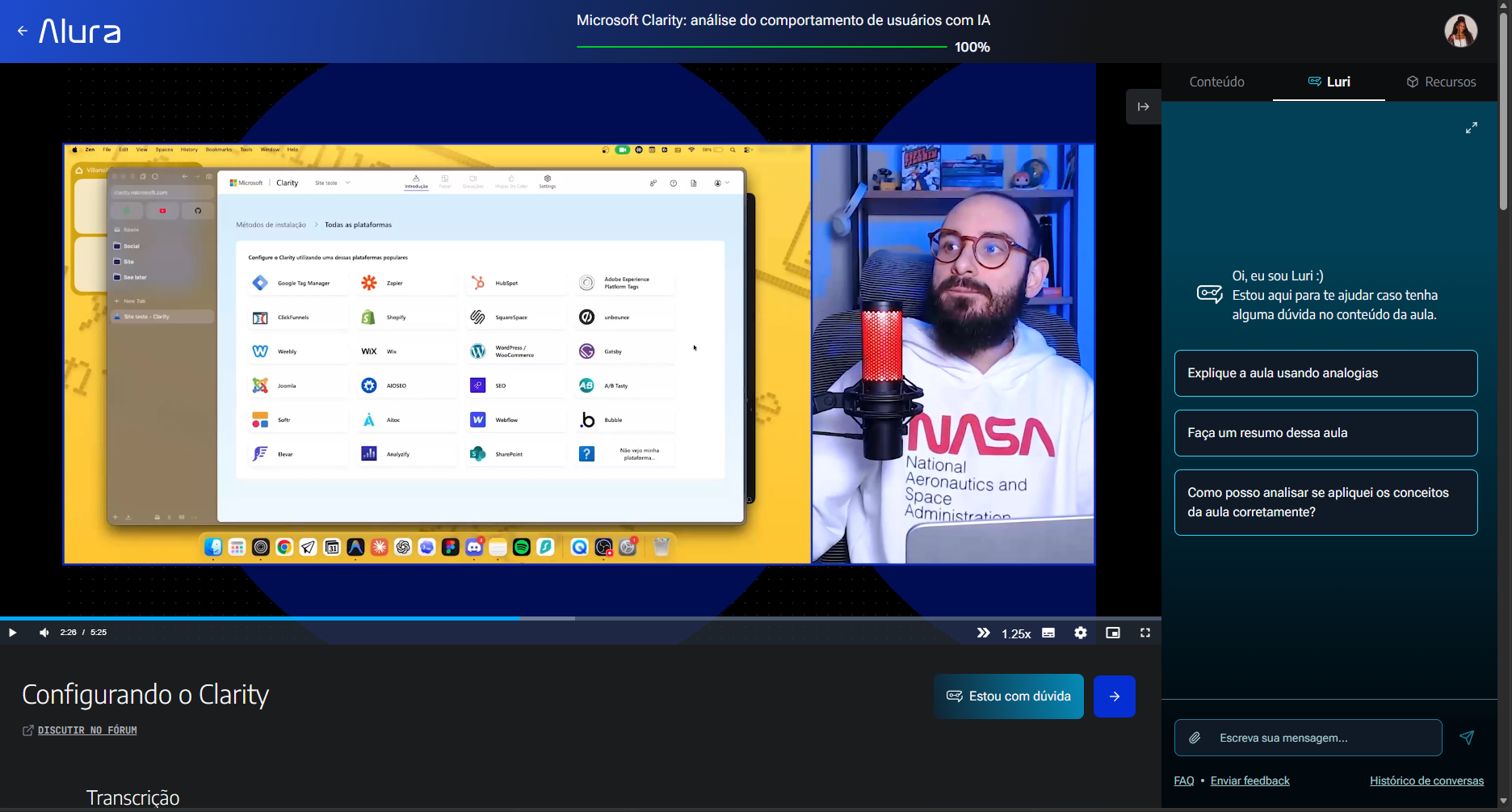
Before, the main entry point inside the lesson was the "Estou com dúvida" ("I have a question") action. Clicking it opened the chat, where the student could choose a suggested prompt or write a question.
That pattern works for a chatbot, but it creates friction in learning: someone who is confused can't always say exactly what confused them.
The previous flow
Before
- I didn't understand
- I open Luri
- I think about how to phrase my question
- I explain the context
- I get help
In practice, we were asking students to explain something they hadn't understood yet.
Reframing
The obvious question
How do we increase Luri usage?
The question we chose
How do we shorten the distance between the moment someone stops understanding and the moment help arrives?
That shift changed the solution space. The goal was no longer to drive clicks on a chatbot, but to reduce cognitive effort at the moment of a learning difficulty.
The content already had the context the AI needed
In a video lesson, the product already knows what is playing and when help was requested. The timestamp can work as an invisible layer of context.
Video → Timestamp → Recent excerpt (~30 seconds) → Context → Luri → Explanation
One action. The context happens behind it.
All the complexity collapses into a single action for the student. There's no need to select an excerpt, point out the moment in the video or write a first question: the product fetches the context.
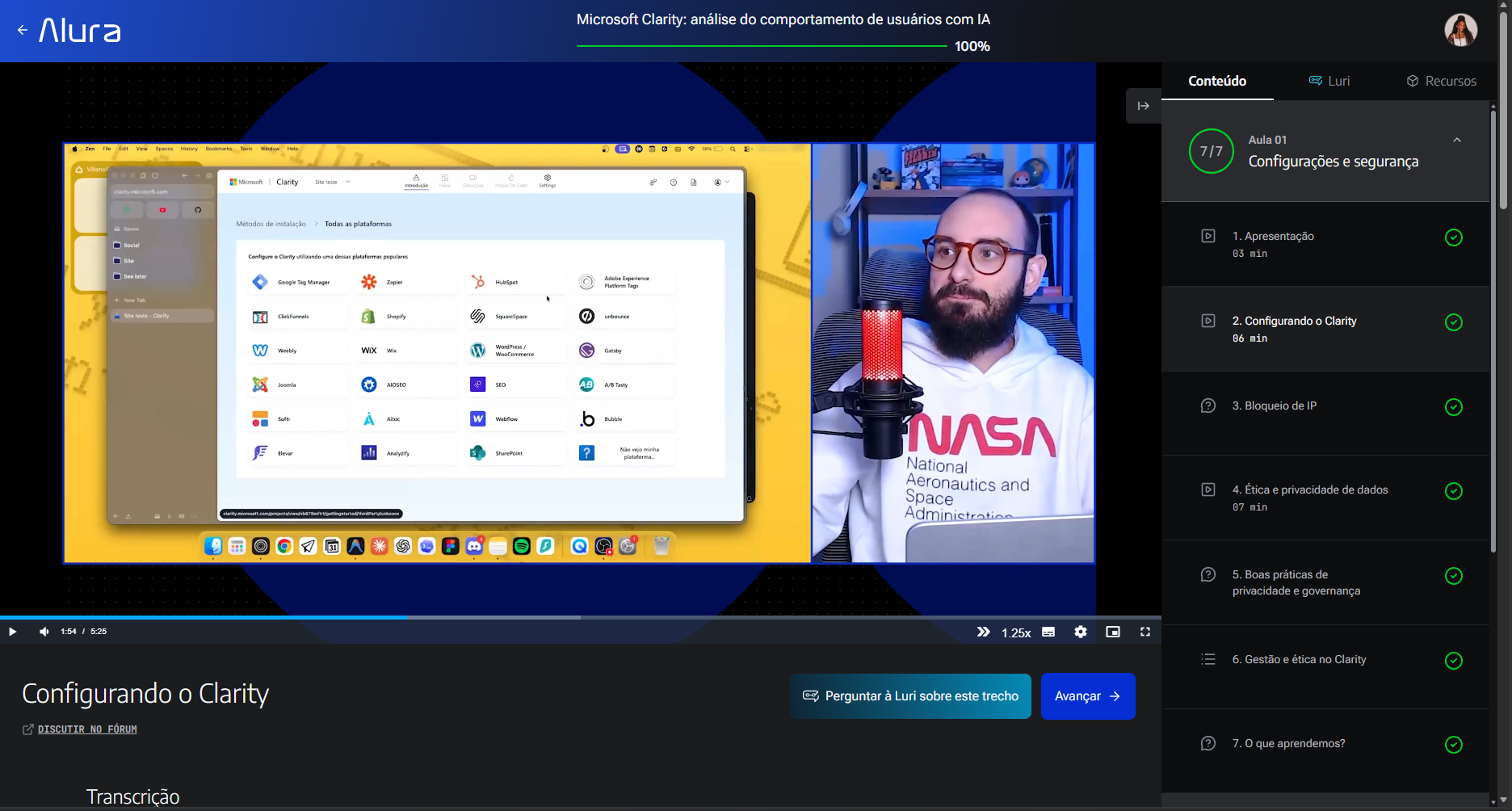
The new flow
What changes is not the number of steps, but how much the student has to assemble on their own before help arrives.
Before
- I didn't understand
- I open Luri
- I think about how to phrase my question
- I explain the context
- I get help
After
- I didn't understand
- I ask for help with this excerpt
- I get a contextual explanation
- I decide whether to continue the conversation
The complete experience
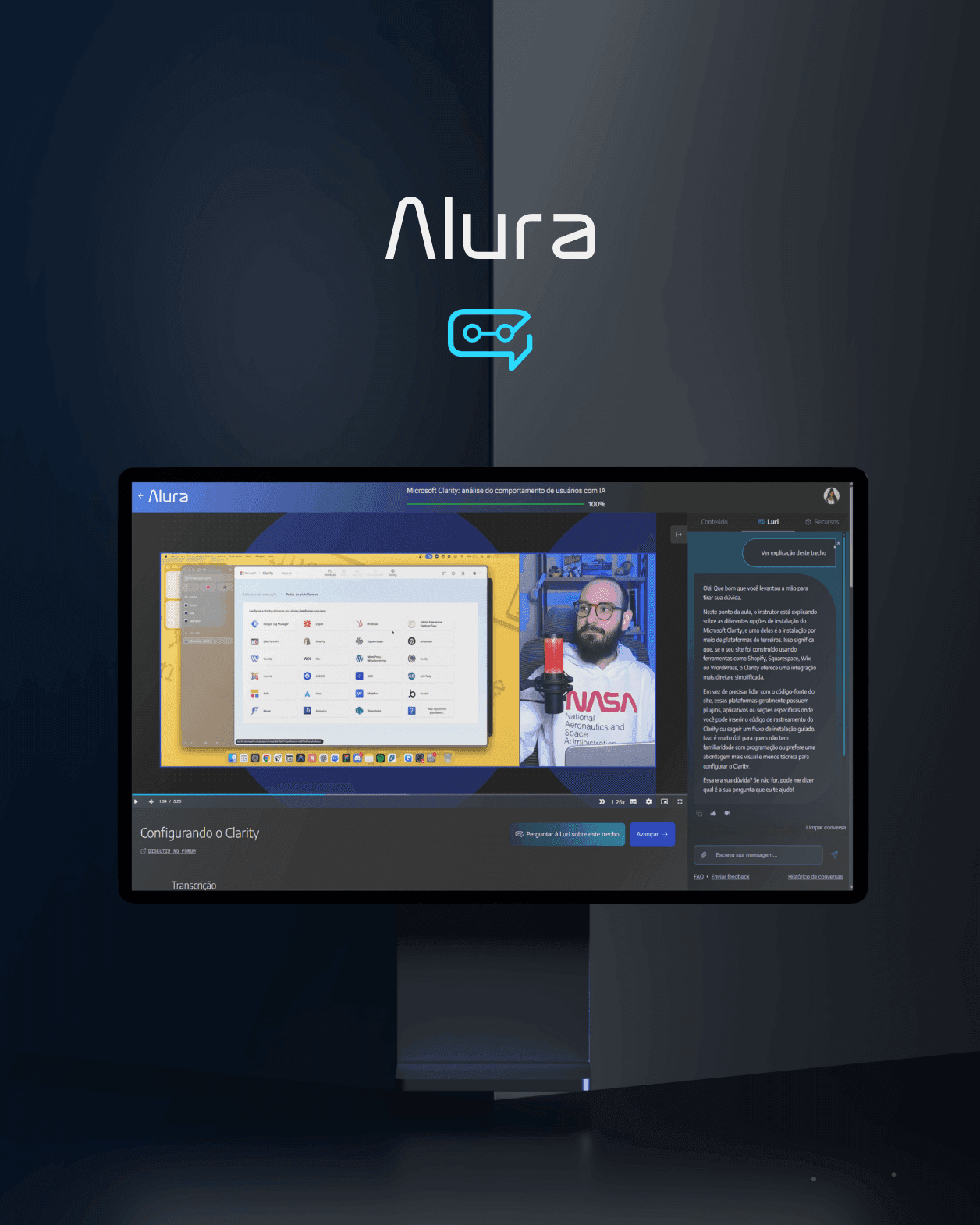
When the student asks for help, the video pauses, Luri opens on the right and starts explaining the excerpt on its own. From there, the student can carry on the conversation.
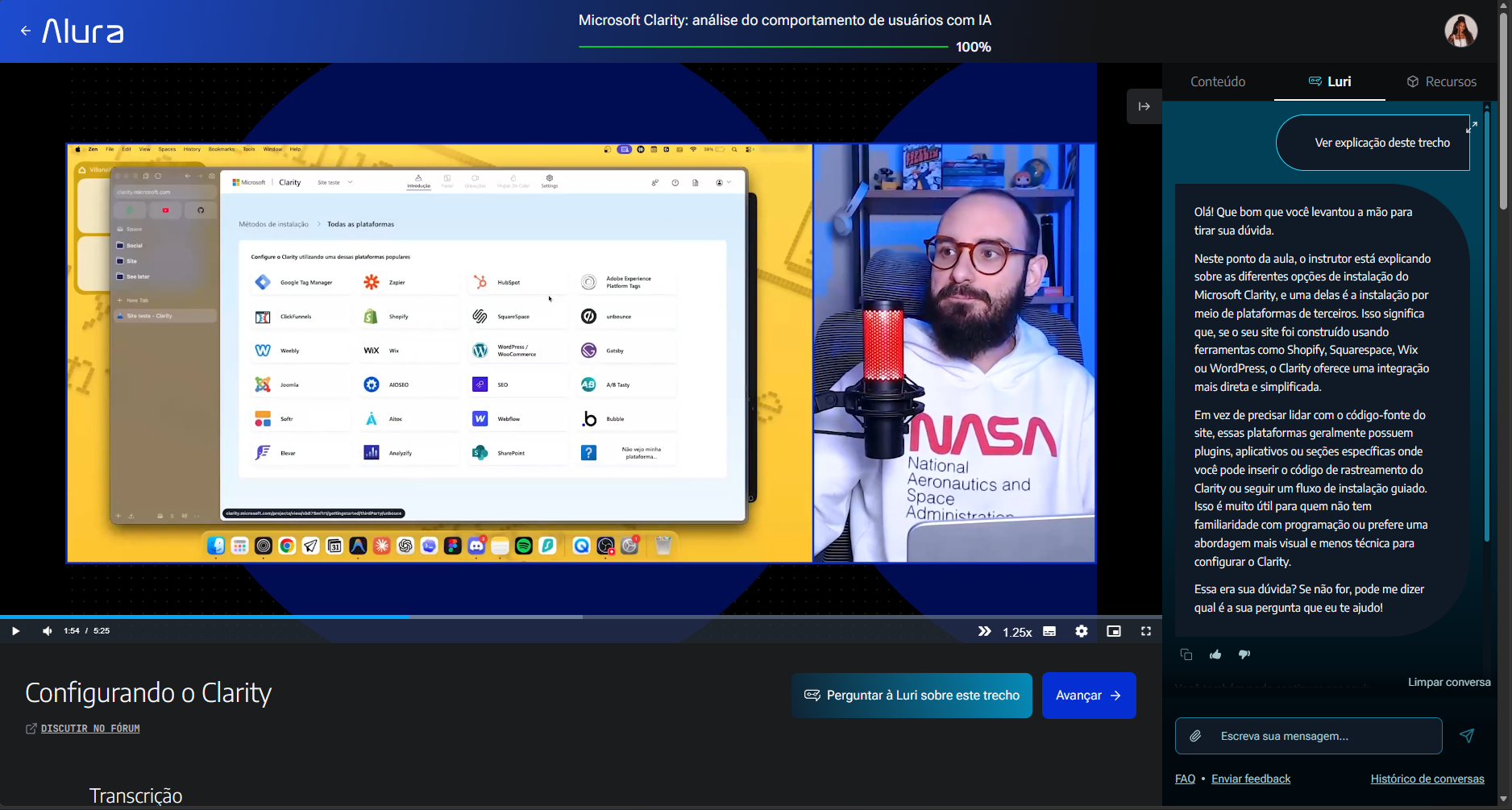
The AI starts. The student decides how to continue.
Only the opening of the interaction is automated. The student receives an immediate, contextual first answer, and then the experience becomes conversational again.
They can type freely or use suggestions to go deeper: analogies, a summary, or an analysis of how the concepts were applied.
We automated the part that created friction. We preserved the part that depended on the student's intention.
Context became part of the interface — even without appearing in it
The student no longer needs to:
- select an excerpt
- copy a transcript
- give the timestamp
- say which lesson they are on
- write a first message
The system already holds all of this.
The more context the product already has, the less context we should ask the user to rebuild.
A small interaction crossed different parts of the product
A seemingly simple interface needed coordination across many parts of the system.
Player + Content + Timestamp + AI + Conversational experience + Product + Engineering + Design
My role sat at that intersection: translating a technical AI capability into simple, understandable behaviour for learners.
My role
The work was less about an isolated interface and more about orchestrating content, AI and product. I worked with the AI, Engineering, Product, Technology and Development teams to make a technical capability understandable within the learning journey.
- Framing and reframing the problem
- Defining the flow
- Interaction decisions
- Prototyping
- Connecting player behaviour to the AI experience
- Aligning with technical possibilities and constraints
- Conversational experience
- Following adoption and continuity signals
One click wouldn't be enough
Counting triggers alone would give a shallow reading, so we followed at least two dimensions:
- Adoption: how many students started using Luri in the experience.
- Depth: what happened after the first trigger.
Adoption over time
Data provided by the AI team. Adoption is the share of active students (those with an active licence in the month) who used Luri.
| Month | Adoption | Luri users | Active students |
|---|---|---|---|
| June | 27.2% | 86,450 | 317,949 |
| July | 19.4% | 54,821 | 282,758 |
| August | 37.2% | 97,108 | 260,811 |
37.2% in August was the peak of the period analysed.
A new level of adoption
In August, 97,108 of 260,811 active students used Luri.
- +10 pp adoption from June to August (27.2% → 37.2%)
- ≈ +12% Luri users (86,450 → 97,108)
- ≈ −18% active base (317,949 → 260,811)
These comparisons only contextualise relative change; they don't prove causation.
July: context matters
July shows why absolute volume shouldn't be read on its own. Seasonal factors, such as the World Cup and the Alura Start recess, reduced activity across the base, and adoption still reached 19.4%.
That's why we tracked usage relative to the available base, not just the number of users.
Usage didn't end at the first click
- 34.2% of triggers became conversations
- +2.8 additional messages per interaction, on average, in those conversations
Adoption tells only part of the story. For some students, the first explanation worked as a gateway to deeper interaction. Source: AI team.
From first click to recurrence
- 10,671 unique users of the contextual trigger
- 21k+ triggers per month
These figures refer only to the video-excerpt explanation trigger. Triggers outnumbered users, which points to repeat use and an early sign that the behaviour may go beyond novelty.
The results in a single reading
- 37.2% adoption in August
- 34.2% of triggers turned into conversations
- +2.8 additional messages
- 97,108 users in August
- 10,671 unique trigger users
- 21k+ triggers per month
The data doesn't isolate the new experience from other product or seasonal variables, so I don't make a direct causal claim. What we observed was a consistent set of signals: higher adoption, continuity in a relevant share of interactions and repeat use of the trigger.
The change wasn't in the button
On the surface, it's just a button and a chat. But the button is only the visible layer that joins three elements that used to be separate:
- Content: what the student was learning
- Context: when the difficulty came up
- AI: the ability to reinterpret that content
Combined, the interaction no longer has to start with "What's your question?". It can start with "I know which excerpt you just watched. Let me try explaining it another way."
What this project changed in how I design with AI
A good AI experience doesn't necessarily start in a text field.
The more context a product already holds, the less the user should have to rebuild.
Automation is most valuable when it removes effort without removing autonomy.
The best use of AI doesn't always ask more of the user. Sometimes it lets them do less and reach what they need sooner.
In the end, the point wasn't to put AI inside a lesson. It was to help it understand when, where and with what context it could truly support learning.