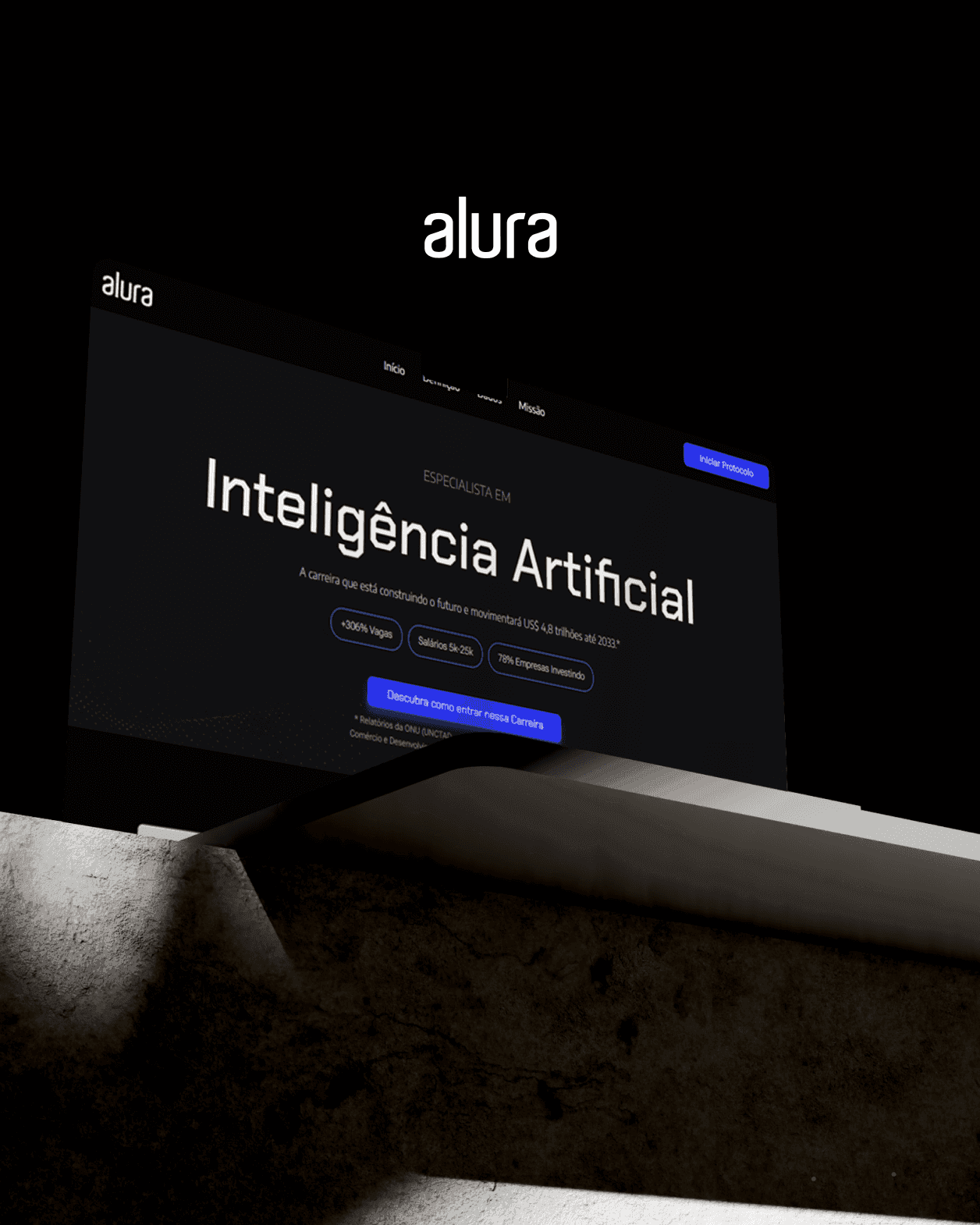
Alura2026
New class screen
A redesign of the heart of the Alura platform — from the first quantitative diagnosis to relaunch with the 2026 rebranding.
- Client
- Alura
- Surface
- Class screen
- My role
- Product Designer
- Timeline
- Sep/2024 → May/2026
- Method
- UMUX-Lite · Benchmarking · Reading patterns · UX · UI
- UX Design
- UI Design
- Branding and Identity Design
Context
Alura is a technology school, and the class screen is where it delivers on its promise, one lesson at a time. Changing this screen means changing the core daily study experience of thousands of students.
This case covers the whole journey:
- the initial quantitative diagnosis in September 2024
- ideation, benchmarking and reading principles
- the relaunch alongside the rebranding in May 2026
Three principles
The goal stayed the same from start to finish: learning at your own pace, studying without effort and studying without distractions.
- Own pace: the student decides when and in which format to study.
- No physical effort: reduce visual, cognitive and interaction friction.
- No distractions: keep only what's essential on screen.
Before redesigning, listen
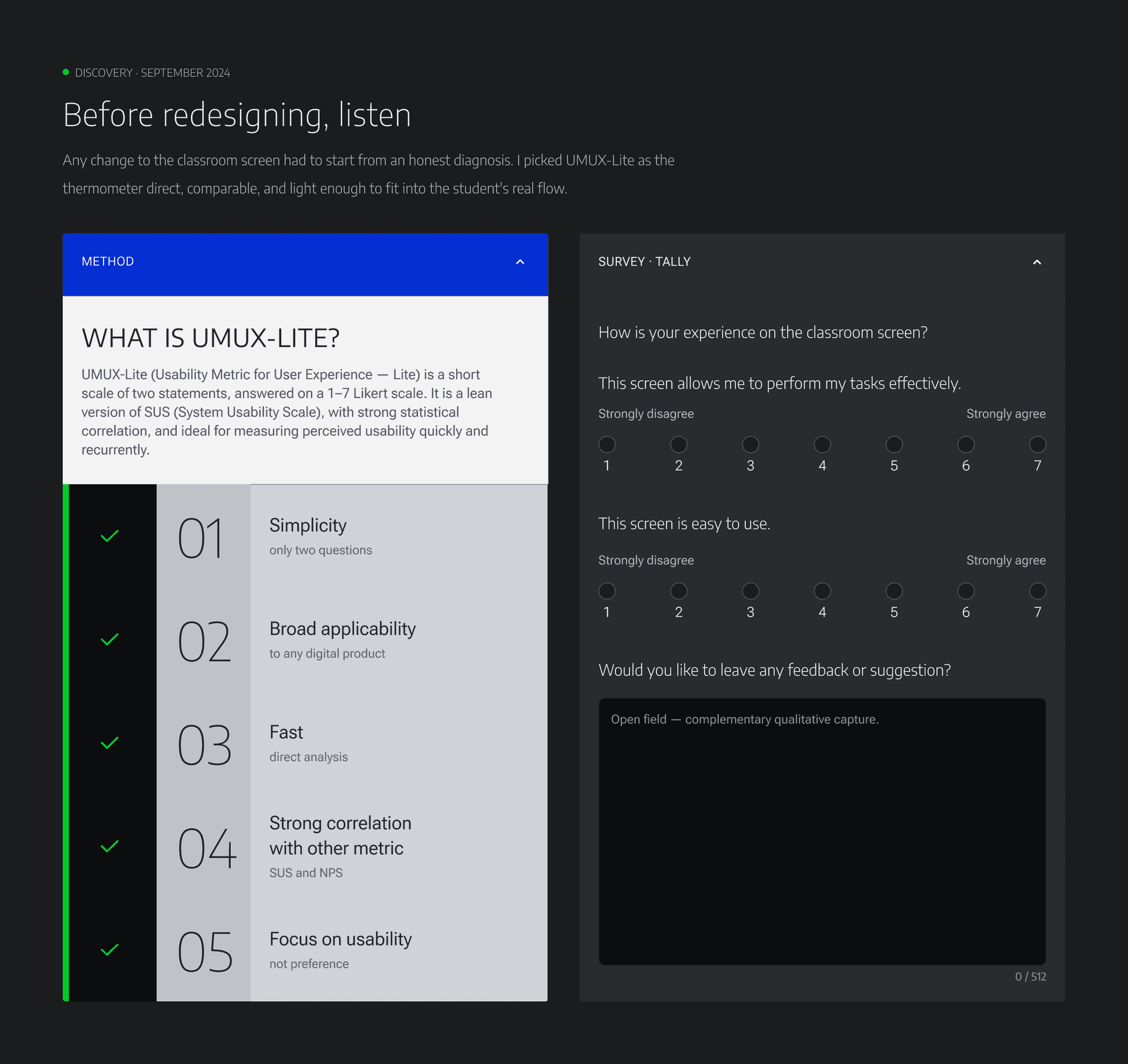
Every change had to start from an honest diagnosis. We chose UMUX-Lite as our thermometer because it's direct, comparable and light enough to run inside the student's real flow. It uses two statements:
- "This screen allows me to perform my tasks effectively"
- "This screen is easy to use"
We added a complementary qualitative capture. Why UMUX-Lite:
- simplicity
- it applies to any digital product
- strong correlation with SUS and NPS
- focus on usability
Quantitative result
- 81.29 — the old screen's UMUX-Lite result converted to a SUS score
- 68 — the SUS market reference average
- Grade A — the old screen's position on the Sauro/Lewis curve
The old screen was already above average, so the base was strong. The redesign needed to elevate it, not rebuild it from scratch.
Qualitative result
Student feedback, grouped by theme:
- UI & interface: visual adjustments and a clearer hierarchy.
- Interaction button: states, contrast and visual priority.
- Interaction with Luri (AI): how visible and inviting the AI assistant is.
- Screens of different sizes: inconsistent responsive behaviour.
- Side menu: needs to be reorganised and repositioned.
- Video player: control, focus and integration with the content.
- Adjustments & repositioning: command elements in the wrong place.
- Visual design: a dated interface that lowers perceived quality and trust.
Reading the old screen
An evaluation of the lesson screen before the redesign.
Key pain points
- excess information
- content organisation
- low contrast, especially in dark mode
Insights
- Content should be the primary element.
- Reduce distractions.
- Improve the layout of every element.
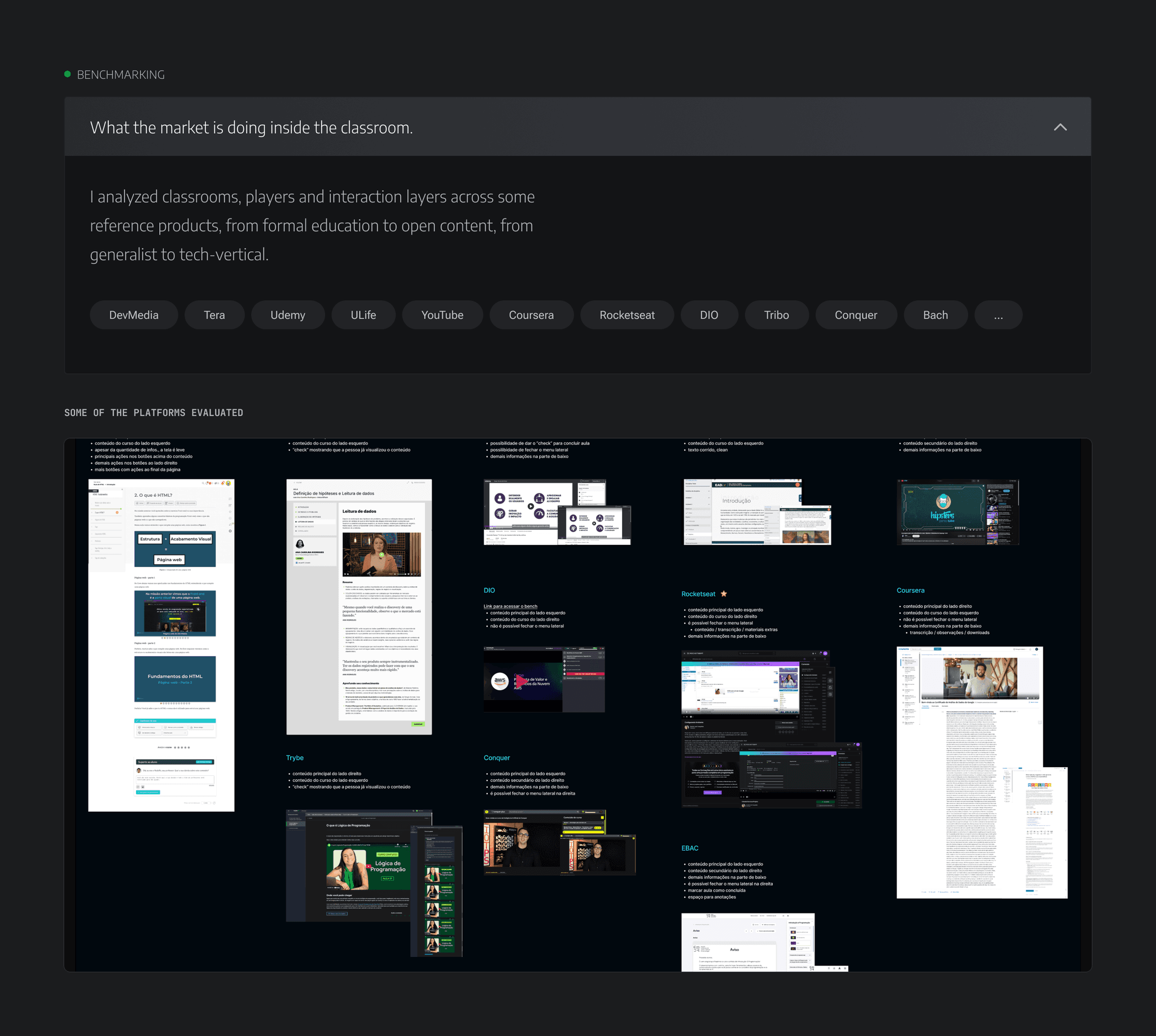
Benchmarking
What the market does inside the classroom. We analysed classrooms, players and interaction layers across a range of products, from formal education to open content and from generalist platforms to tech-specific ones: DevMedia, Tera, Udemy, ULife, YouTube, Coursera, Rocketseat, DIO, Tribo, Conquer and Bacharel.
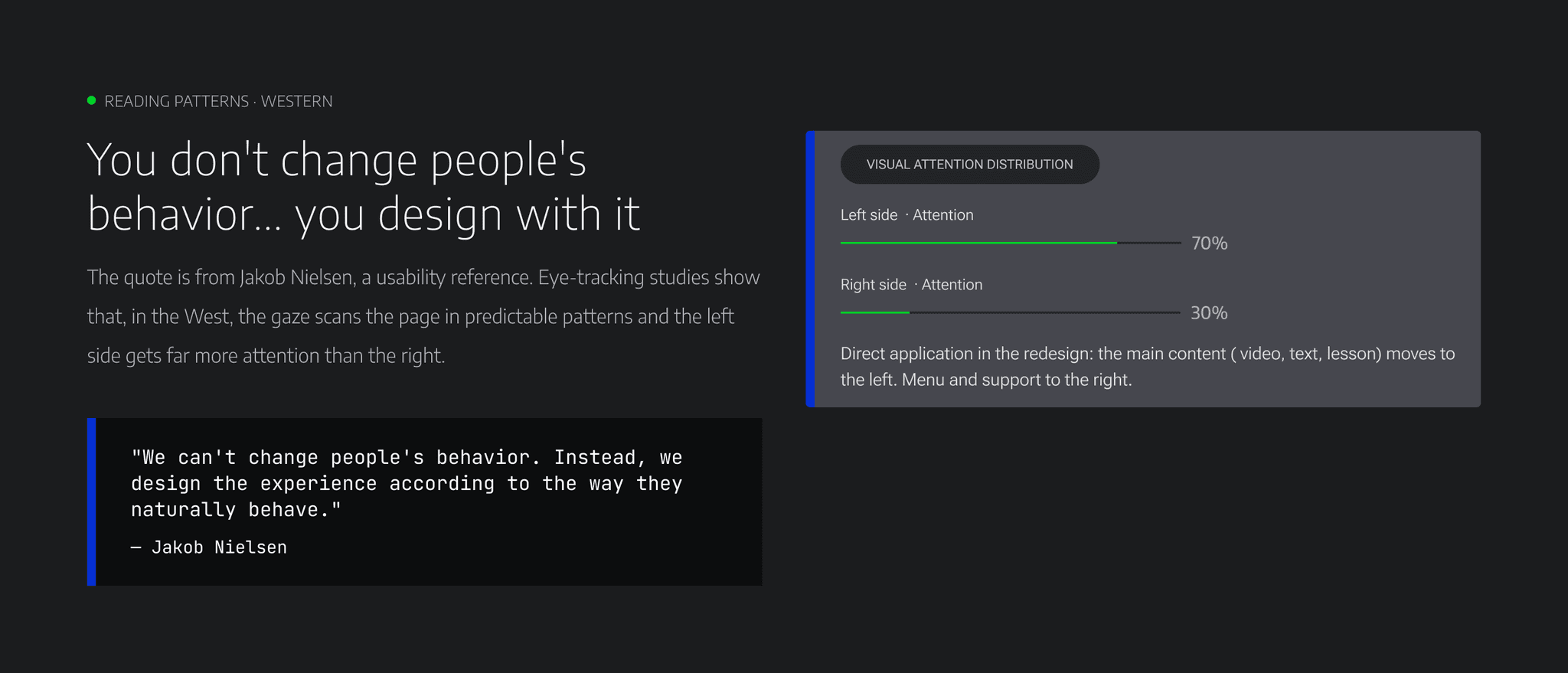
You don't change people's behavior… you design with it.
— Jakob Nielsen, on the reading patterns of Western readers
Reading patterns
Eye-tracking research shows that Western readers scan in predictable patterns and give much more attention to the left side of the page. That evidence justified moving the lesson into the most valuable visual area.
From launch to reinvention
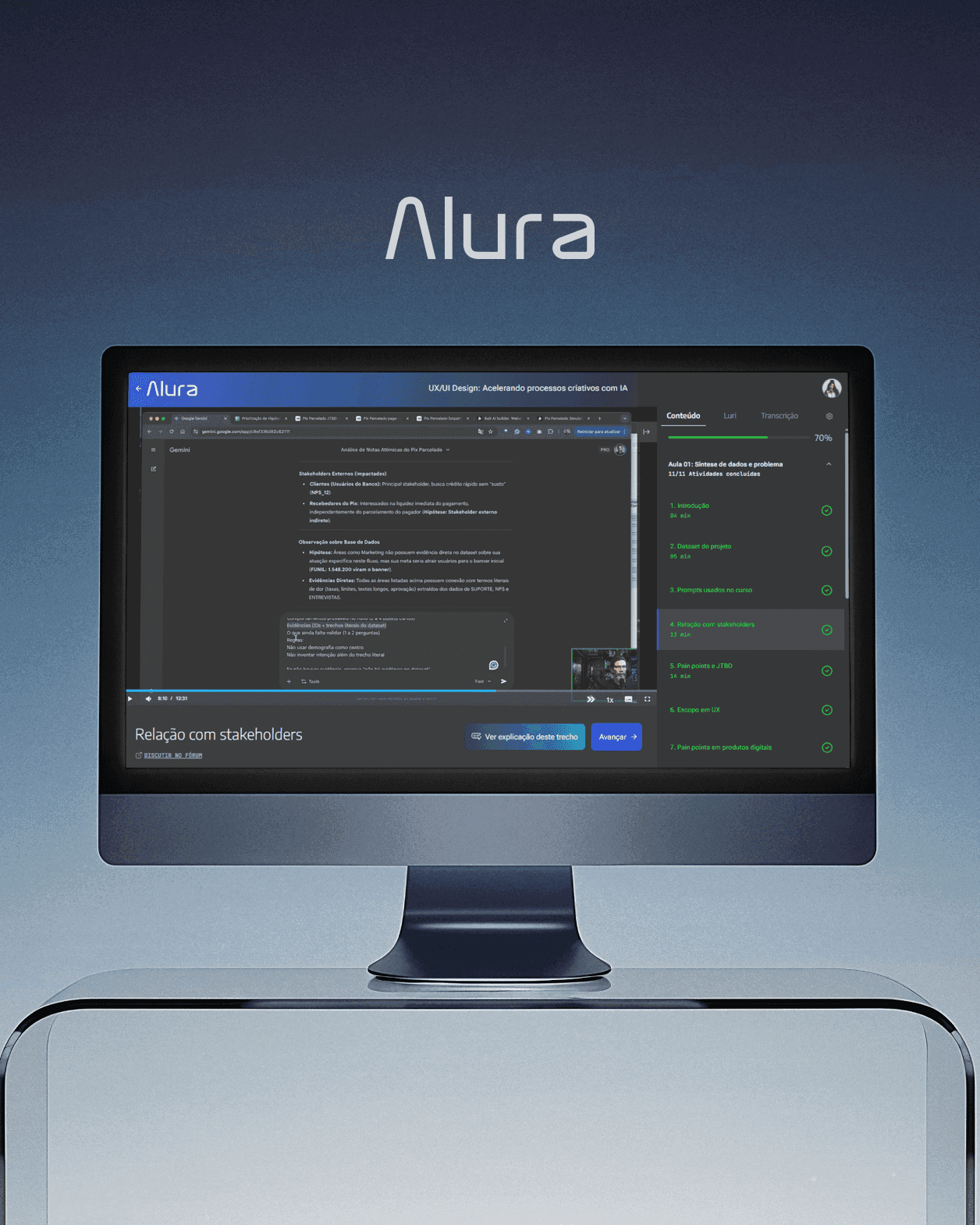
The 2024 work became visually outdated with Alura's rebranding, launched on 25 May 2026, the same day the reworked class screen went live. We revisited the screen: the principles stayed, and the visual language was refreshed.
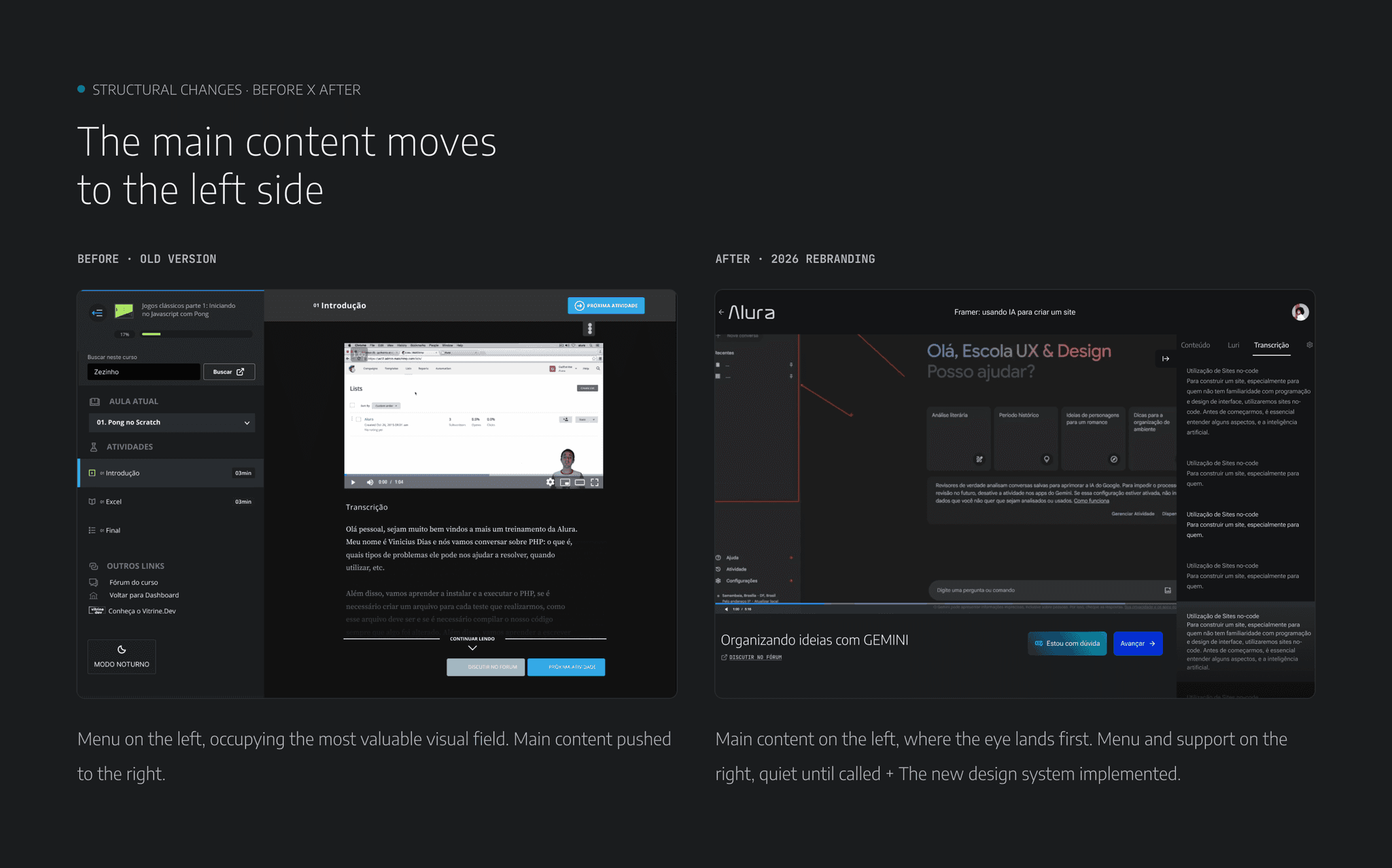
The main content moves to the left
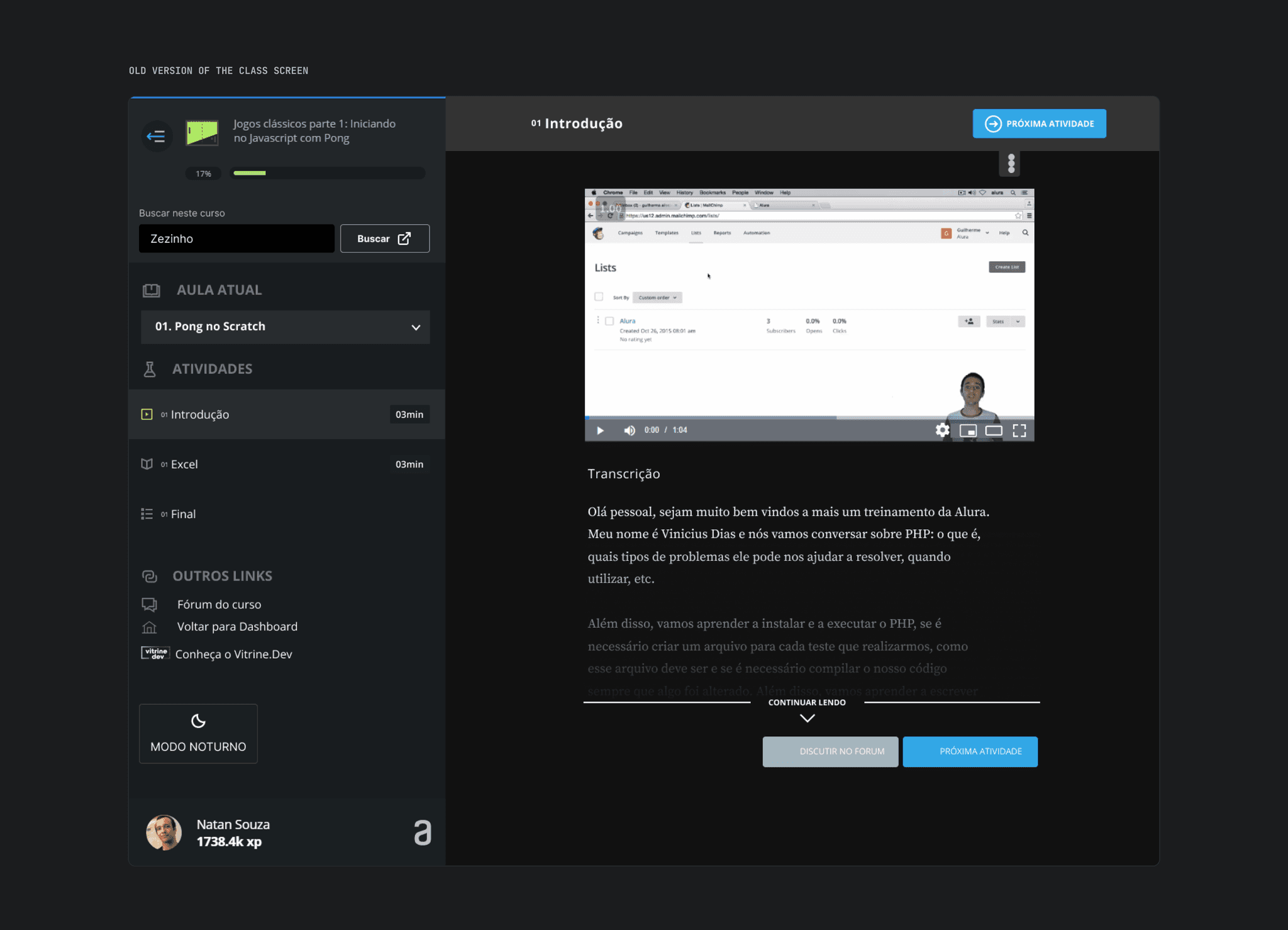
Before · old version
The menu sat on the left, in the most valuable area, and the main content was pushed to the right.
After · 2026 rebranding
The main content is on the left, where the eye lands first. The menu and support move to the right and stay quiet until needed, with the new design system applied.
What changed in the interface
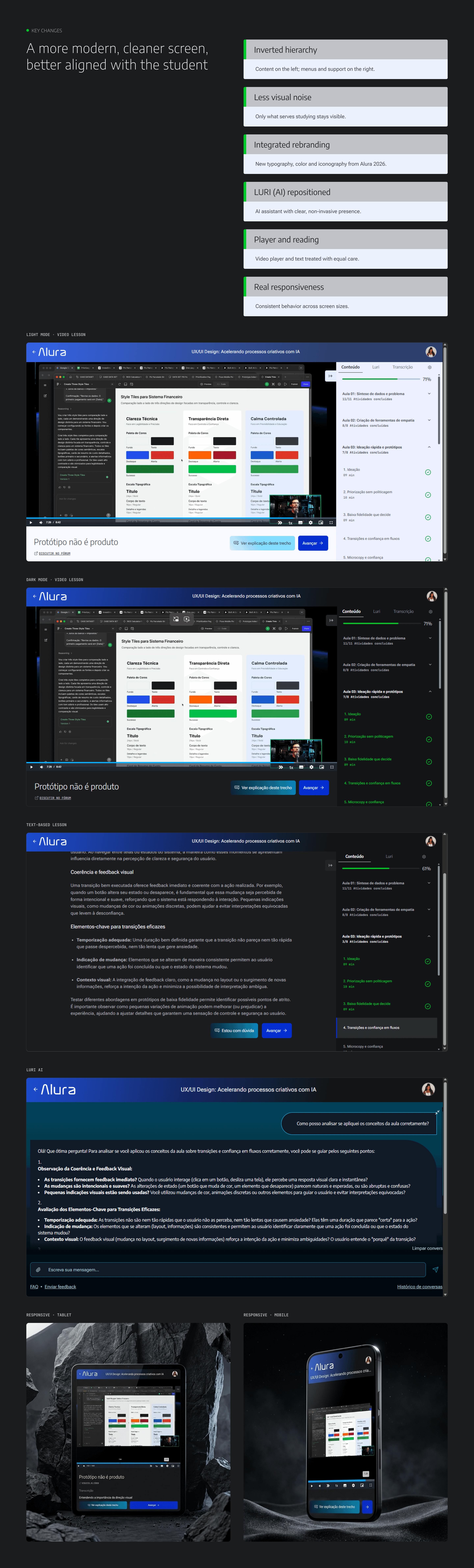
- Inverted hierarchy: content on the left; menus and support on the right.
- Less visual noise: only the essentials remain visible.
- Luri (AI) repositioned: a clear but non-intrusive presence.
- Play and reading: the video player and text get equal weight.
- Real responsiveness: consistent behaviour across screen sizes.
Solution
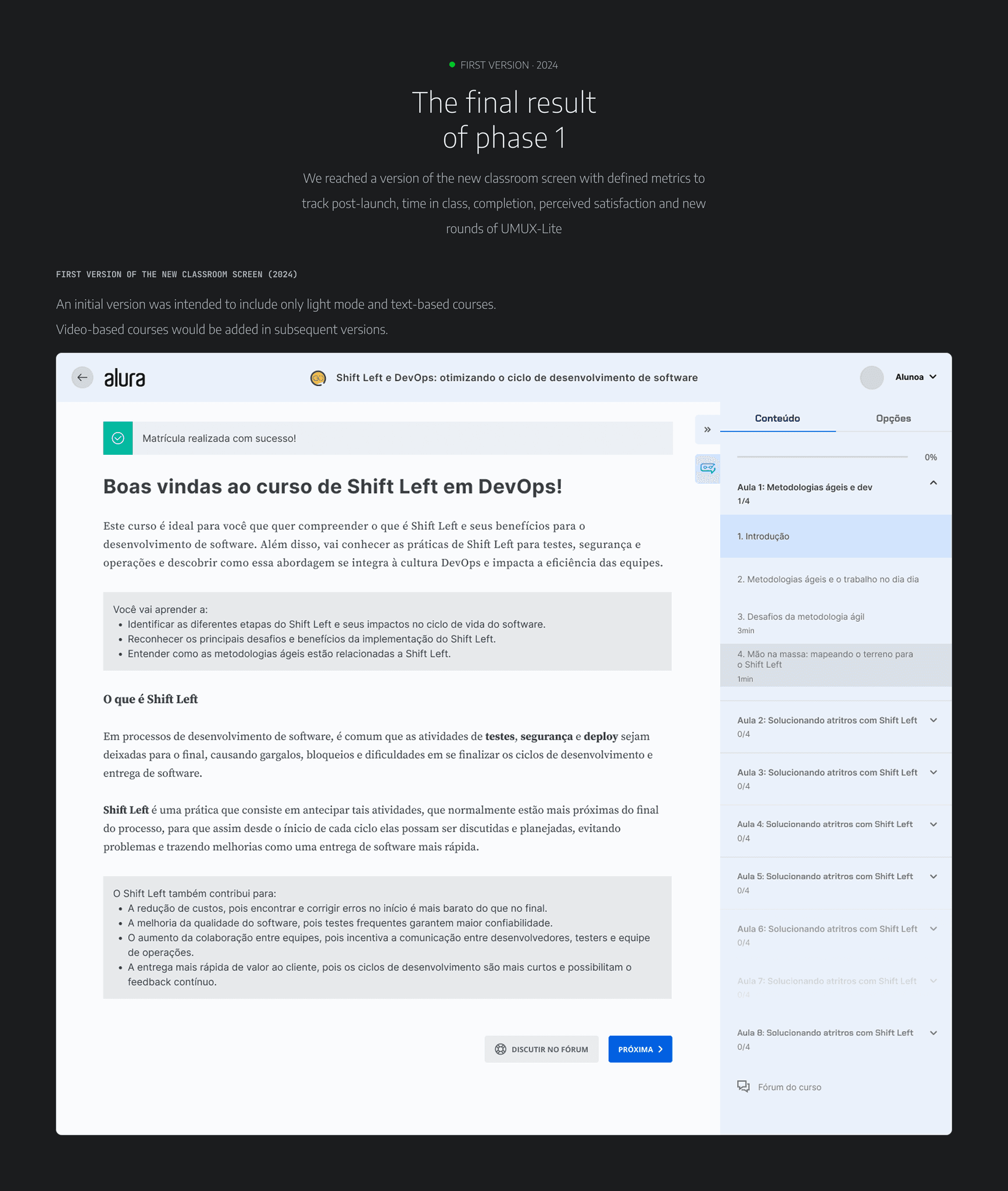
A more modern, cleaner screen, better aligned with the student.
Outcome
The redesign carries the three opening principles into Alura's new identity.
More room for the lesson. Less room for everything that isn't it.
- Learn at your own pace: clear controls and predictable navigation.
- Study without physical effort: fewer clicks and less eye travel.
- Study without distractions: a quiet interface focused on what matters.
What we'll keep measuring
The new screen launches instrumented. Each principle has a metric to track its real impact on the student journey.
- Recurring UMUX-Lite: rerun the survey to compare versions.
- Lesson completion: aim for a higher completion rate.
- 7/30-day return: retention and study habit.
- Time to first interaction: less friction before studying starts.
- Luri (AI) usage: adoption and repeat use of the assistant.
- Qualitative feedback: an ongoing loop through the open-text field.
Next steps
- Compare versions: A/B tests and before/after cohorts.
- Prioritisation: rank pain points by impact and effort.
- Monitoring: instrument and track the metrics.
- Continuous feedback: recurring loops with students.
Redesign isn't redecoration… it's relearning the product with the user.
Final reflection
This project was at once about UI, research, strategy and brand. Every decision traced back to data, a principle or an observed behaviour. The standard was never "it looks nicer". It was "can the student learn better here?"